
Harmonic Mixing for DJs: The Complete Camelot Wheel Guide
Harmonic mixing is the technique of blending tracks whose musical keys are compatible, so transitions sound smooth instead of clashing. It's the single most impactful factor in creating professional-sounding DJ sets — and thanks to the Camelot wheel, you don't need a music theory degree to do it.
What is Harmonic Mixing?
Every piece of music is written in a key — a set of notes that sound good together. When two tracks share the same key or are in compatible keys, their melodies and basslines blend naturally during a transition. When they're in clashing keys, you get that jarring, out-of-tune sound that makes dancers wince and can clear a dancefloor faster than a fire alarm.
Harmonic mixing is simply the practice of choosing your next track based on key compatibility. It doesn't mean every transition has to be in the same key — just that you're aware of how keys interact and making deliberate choices rather than leaving it to chance.
Music Keys Explained (Without the Theory Degree)
In Western music, there are 12 notes. Each note can be the starting point of either a major key (which tends to sound bright, uplifting, and happy) or a minor key (which tends to sound darker, moodier, and more emotional). That gives us 24 possible keys total.
The relationship between keys follows patterns. Some keys share almost all the same notes and blend seamlessly. Others share very few notes and create dissonance when played together. Music theory maps all of these relationships, but as a DJ you don't need to memorize any of it — that's exactly what the Camelot wheel was designed to solve.
The Camelot Wheel Explained
The Camelot wheel is a visual tool that maps all 24 musical keys into a simple numbered system. It was created by Mark Davis at Mixed In Key to make harmonic mixing accessible to DJs who don't read music.
The wheel has 12 positions (like a clock), each with two variants:
- A (inner ring) — Minor keys (darker, moodier sound)
- B (outer ring) — Major keys (brighter, uplifting sound)
So 8A is A minor and 8B is C major. The beauty of the system is that compatible keys are always next to each other — either adjacent numbers on the same ring, or the same number on the opposite ring.
Complete Camelot Wheel Reference
The 4 Safe Mixing Moves
The Camelot wheel makes harmonic mixing as simple as following four rules. If your current track is in 8A, here are your safe options:
1. Same Key (8A → 8A)
Staying in the same key is always 100% compatible. Melodies, basslines, and vocals will blend perfectly. This is the safest possible transition — but using it exclusively can make your set sound monotonous over time.
2. Adjacent Number (8A → 7A or 9A)
Moving ±1 on the wheel changes only one note in the scale. The shift is subtle enough that most listeners won't consciously notice the key change, but it keeps your set moving forward harmonically. This is the most commonly used move in professional DJ sets.
3. Major/Minor Switch (8A → 8B)
Jumping between A (minor) and B (major) at the same number changes the mood without changing the harmonic center. Going from minor to major lifts the energy and brightens the feel. Going from major to minor does the opposite — it pulls the set into a darker, more driving space. It's a powerful tool for shaping energy flow in your set.
4. Energy Boost (8A → 10A)
Jumping +2 on the wheel creates a more noticeable key shift that can inject energy into a set. This move works well at peak moments or when you need to break out of a harmonic rut. Use it sparingly — jumping more than +2 starts to risk audible clashes.
Quick Reference: Safe Moves from Any Key
- ✓Same key — Always compatible (e.g., 8A → 8A)
- ✓±1 number — Subtle shift, very smooth (e.g., 8A → 7A or 9A)
- ✓Same number, flip letter — Mood change (e.g., 8A → 8B)
- ✓+2 numbers — Energy boost, use sparingly (e.g., 8A → 10A)

How to Find Your Tracks' Keys
Before you can mix harmonically, you need to know what key each track is in. There are several ways to get this data:
- Rekordbox auto-analysis — Built-in key detection that runs alongside BPM analysis. Accuracy is generally good, though it can struggle with tracks that modulate between keys. Rekordbox displays keys in both standard notation (Am, C) and Camelot notation.
- Mixed In Key — Dedicated key analysis software with higher accuracy than most built-in analyzers. Writes Camelot codes directly to file tags.
- Beatport / Traxsource — Online stores display the key of each track on its listing page, analyzed at the mastering stage.
Whichever method you use, make sure key data is present in your Rekordbox library tags before importing into SetFlow. Key analysis feeds the harmonic compatibility score, which carries the highest weight (35%) in transition scoring.

Common Harmonic Mixing Mistakes
Even DJs who understand the Camelot wheel can fall into these traps:
- Ignoring key entirely — Relying purely on BPM matching and “ear feel” works sometimes, but leaves smooth transitions to chance. Even one clashing transition per set is noticeable to the audience.
- Only mixing in the same key — Playing 8A → 8A → 8A for 90 minutes is technically harmonically compatible, but it creates a flat, repetitive feel. Use adjacent moves and mood switches to keep things interesting.
- Prioritizing key over everything else — A harmonically perfect transition with a 20 BPM jump sounds worse than a minor key clash at the same tempo. Key compatibility is important, but it's one factor among several — BPM, energy flow, and genre all matter too.
- Not verifying key data — Auto-analysis isn't perfect. Tracks with key modulations, long ambient intros, or unusual harmonics can be misidentified. If a transition sounds off despite matching Camelot codes, the key data might be wrong.
Beyond the Wheel: When to Break the Rules
The Camelot wheel is a guideline, not a law. There are situations where breaking harmonic rules is the right call:
- Genre transitions — Switching between genres (e.g., deep house to techno) often involves key jumps. The genre shift itself creates enough sonic contrast that a key clash is less noticeable.
- Dramatic moments — A deliberate key clash can create tension and impact when used intentionally at a peak moment. Think of it like a musical plot twist.
- Percussion-only mixing — If your transition happens during drum-only sections of both tracks (no melodies or basslines playing), key compatibility doesn't matter because there's nothing harmonic to clash.
- Short blends — A quick cut or swap is less affected by key clashes than a long, layered blend. If you're mixing in 8 bars rather than 32, you have more freedom with key choices.
The best DJs understand the rules well enough to know when breaking them serves the set. But that judgement comes from practicing harmonic mixing first — learn the system, use it consistently, and you'll develop an intuition for when to deviate.
How SetFlow Automates Harmonic Mixing
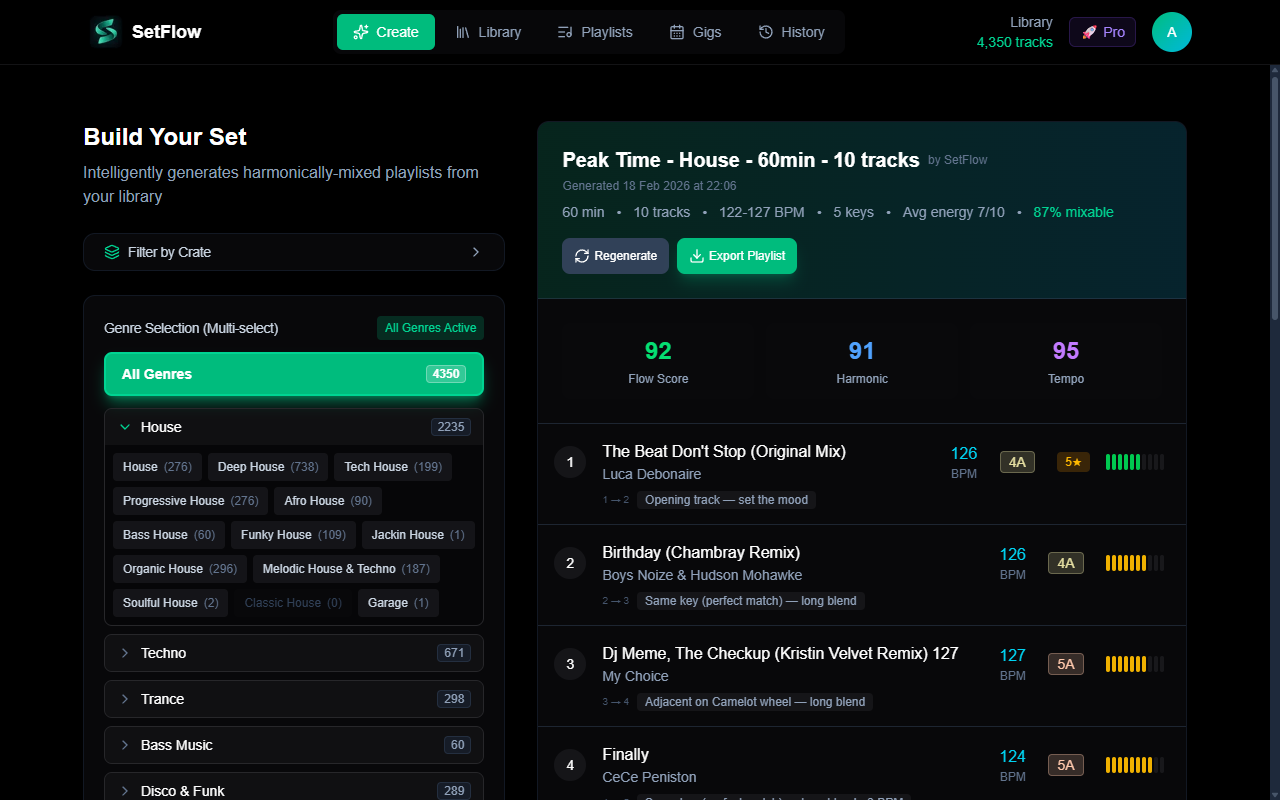
SetFlow's set generation algorithm uses the Camelot wheel as its highest-weighted scoring factor. Every potential transition between two tracks is evaluated for harmonic compatibility, which accounts for 35% of the total transition score.
The scoring works on a gradient: same-key transitions score highest, adjacent keys (±1 on the wheel) and relative major/minor switches score nearly as well, and compatibility decreases as the distance on the wheel increases. This means every generated set follows harmonic mixing principles automatically — no manual Camelot code checking required.
Combined with BPM matching (25%), energy flow shaping (15%), and genre compatibility (15%), SetFlow evaluates thousands of possible track orderings to find the sequence that sounds best. Your job is to tag your tracks well — SetFlow handles the rest.
Ready to build better sets?
Import your Rekordbox, Traktor, or Serato library and generate perfectly mixed DJ sets in seconds.
Try SetFlow Free