A mixed set
in seconds.
Point SetFlow at your Rekordbox, Traktor or Serato library and pick a vibe. It digs through your crates for the tracks that mix best together and hands you the set, scored out of 100 for keys, tempo, energy and genre. No more midnight prep.
No library to hand?
Most points lost · The energy doesn't rise and fall with the set's curve.
From DJs
in the booth
“Great tool for structuring and prepping DJ sets. The workflow is intuitive, fast, and focused on what actually matters when planning transitions and energy flow. Huge credit to the developer for actively listening to user feedback and constantly improving the app. Well worth it.”
“Best set-building tool I’ve tried. I’ve used several similar apps, and SetFlow consistently gives me the best track matches and the most usable results. The developers are also responsive to feedback. Highly recommended for DJs who want a strong starting point for planning a set.”
“Excellent app with lots of useful features. My DJ sets are much more cohesive and smoother these days. Recommended”
Set prep
shouldn't outlast
the set
Load the crate
Rekordbox XML, Traktor NML or a Serato folder. BPM, key and genre arrive intact, Mixed In Key keys and energy included — zero re-analysis.
Set the vibe
Genre, era, length, set type, BPM tolerance — or plan the whole night in chapters. Pin the anchor tracks, then commit.
Generate, hear, export
In seconds, a set dug from your whole library: the tracks that mix best, scored and planned to the minute. Inspect every transition, hear the blend, then push to Rekordbox, Traktor, Serato, PDF or TribeXR.
The theory,
running in
the dark
Crate Digging, Scored New
SetFlow digs through your library for the tracks that mix best together, keeps the strongest set it finds and scores it out of 100 for keys, tempo, energy, genre and tracks, then tells you where it lost points. Every transition follows the Camelot wheel.
Smart Mix Points Pro
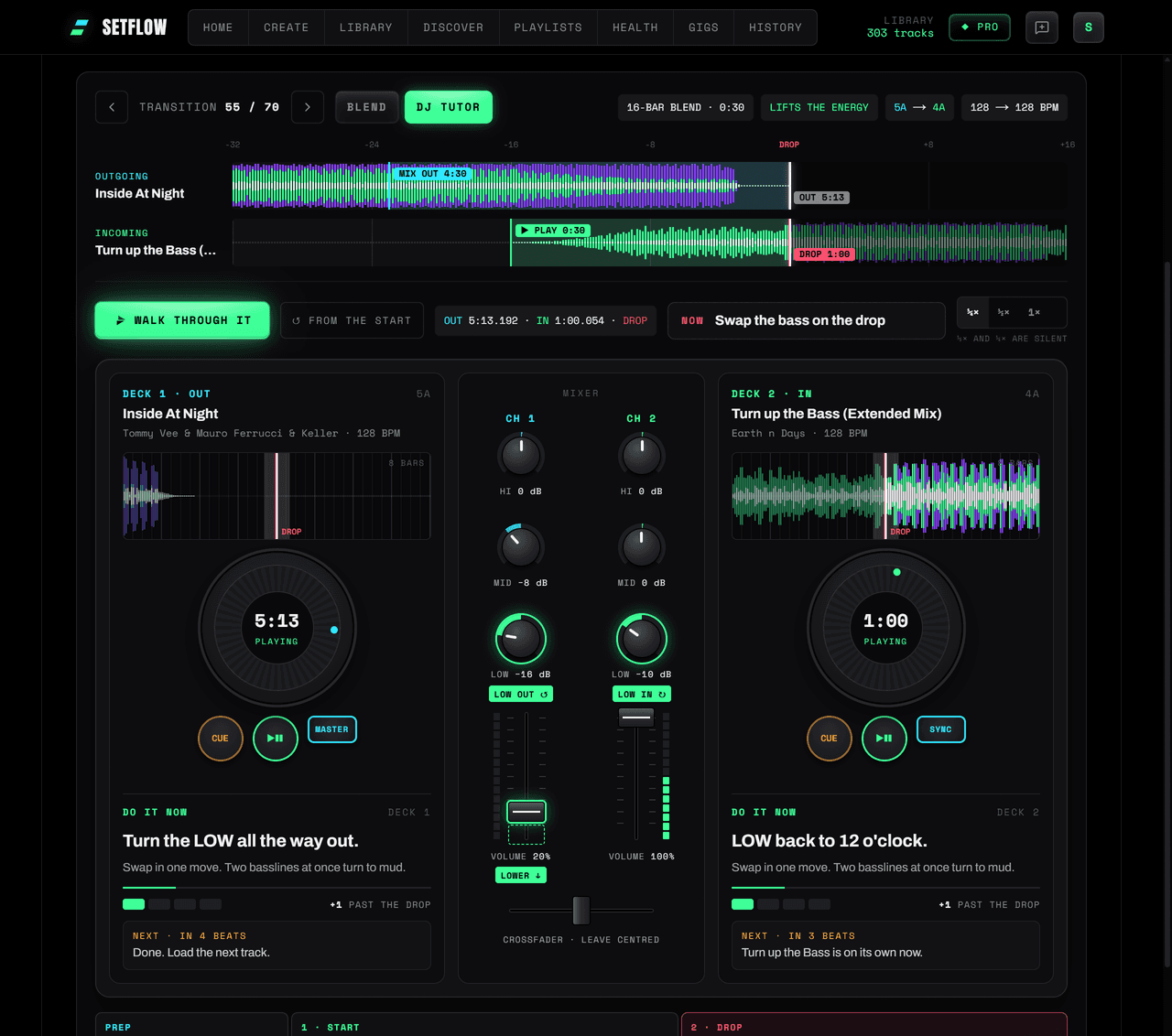
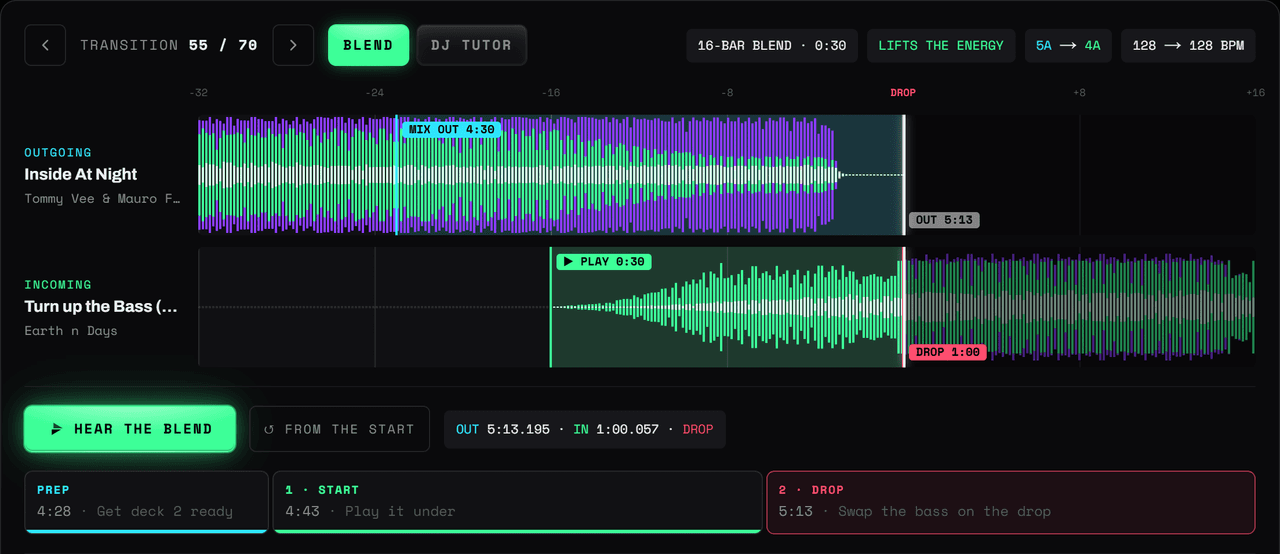
Every transition with when to start, swap the bass and drop. Hear the blend, learn it move by move in the DJ Tutor, set each blend's length, and swap any track that doesn't work.
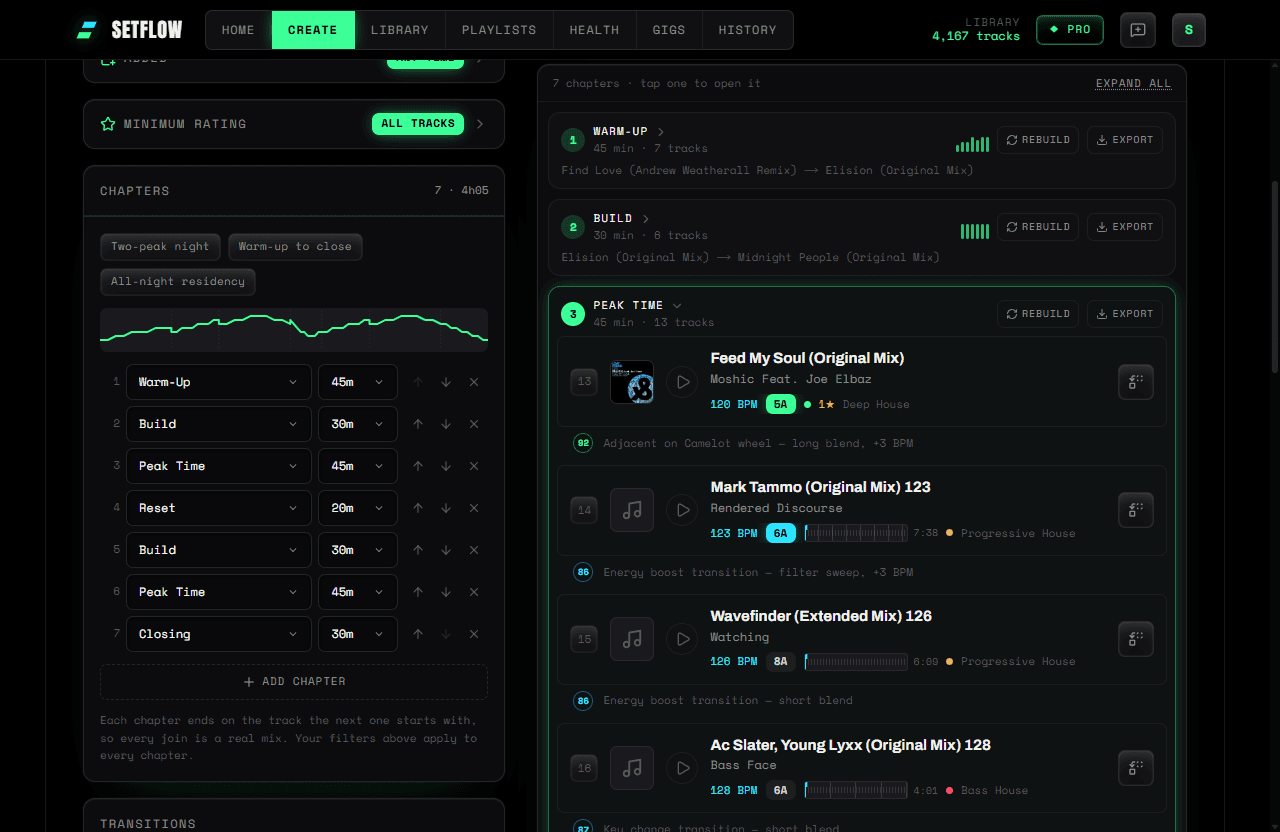
Set Chapters Pro
Eight set types, from warm-up to close — or chain them into chapters and plan a whole night, up to 8 hours. Planned to the minute against your real track lengths, and every handover is a real mix.
One-Click Import
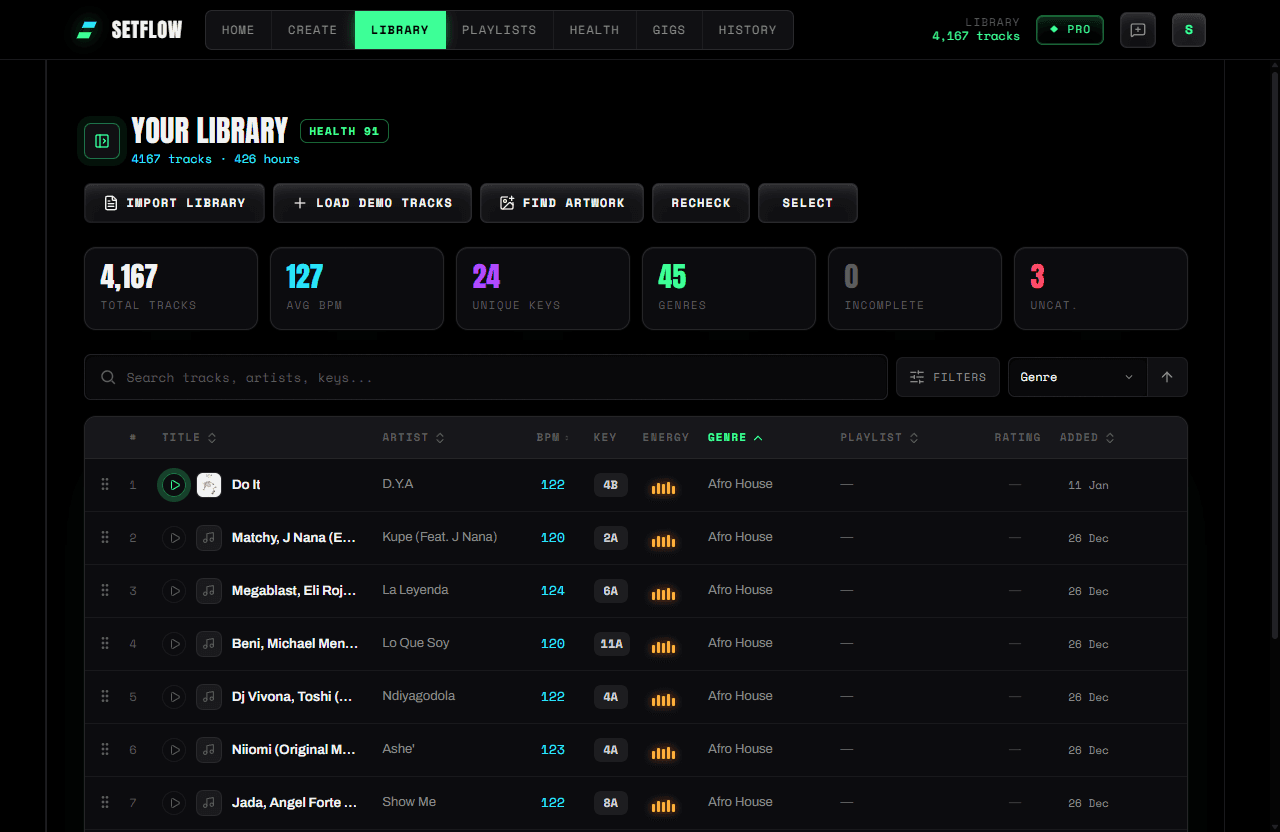
Rekordbox, Traktor and Serato libraries land in seconds — playlists, crates, metadata and your cue points intact.
Waveforms + Play the Set
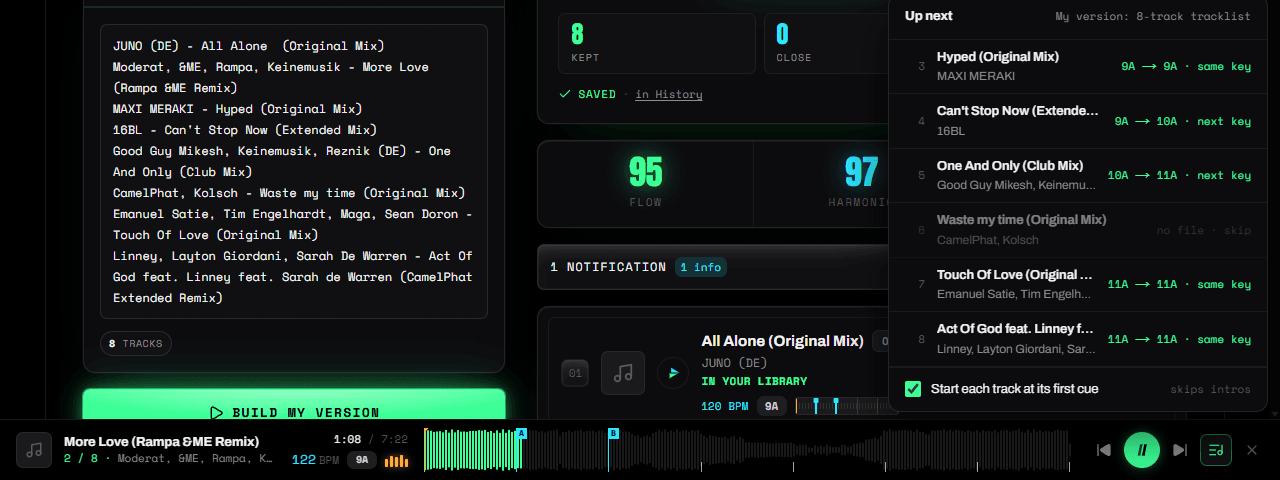
Connect your music folder once and every track plays full length on a 3-band waveform with your cues. Play the whole set in order, each track from its first cue. Chrome or Edge on desktop.
Crates + Gigs
Smart crates (Pro) filter by genre, BPM, energy, key, era and date added. Schedule gigs and build a gig crate in one click, then export any crate to Rekordbox, Traktor or Serato.
Energy From Your Music New
Connect your music folder and SetFlow measures every track's energy from the audio, so a set really climbs and lands. Plus one health score for your library and one-click clean-up of messy genres and artist names.
Slot Alternatives
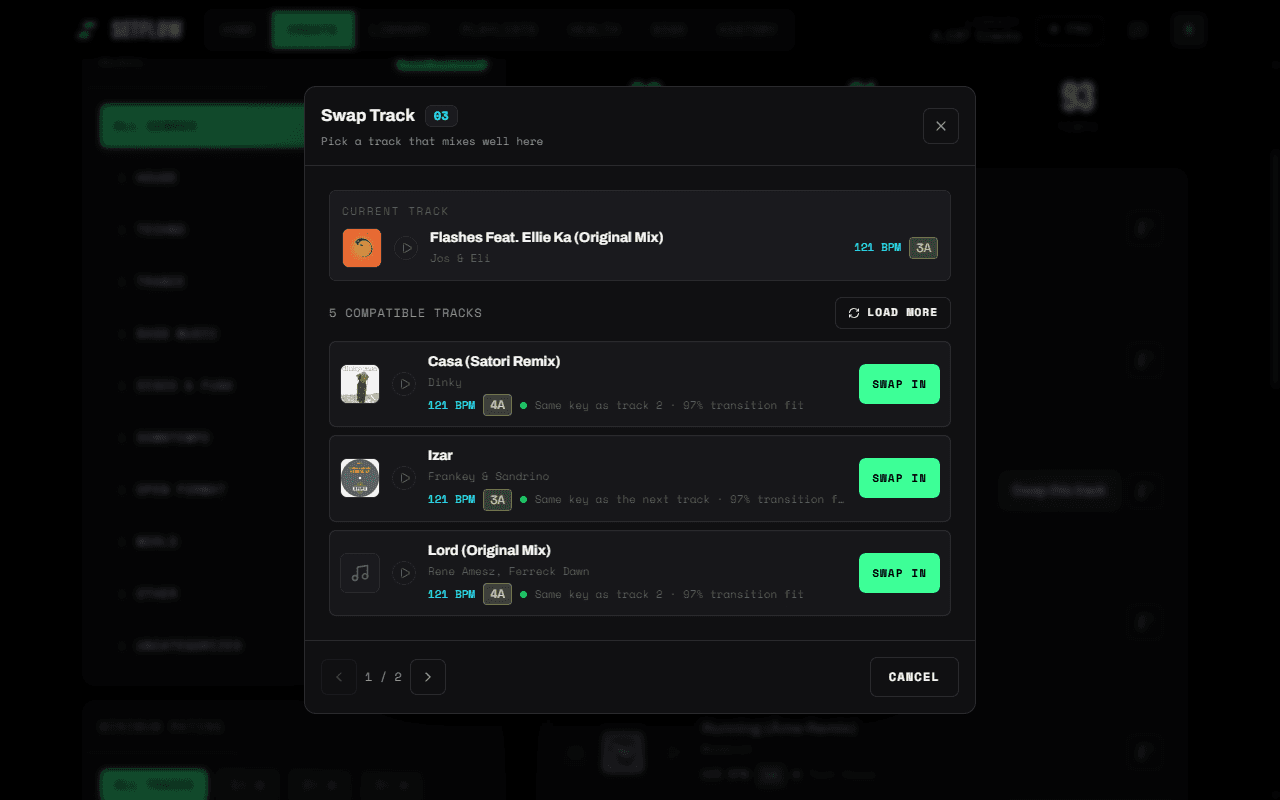
Three ranked backups behind every slot. One tap swaps a track in, one tap swaps it back — a set you can flex on the night.
Build a Set Like This Pro
Paste a tracklist you love and SetFlow builds your version from your own library — same shape, your records, the gaps filled with tracks that fit.
Every transition,
move by
move
Badges
The next knob or fader lights up, with a countdown in bars and beats.
Half speed
Walk through a blend at half or quarter speed until the moves stick.
Every blend
Planned from your own tracks: where the bass runs out, how long the intro is, whether the keys clash.
Every surface
a DJ touches
Plans that
scale with
the gigs
- Up to 500 tracks
- 3 sets to generate
- All 8 set types
- 3 exports — Rekordbox + M3U8
- Up to 500 tracks
- 10 sets per month
- Manual crates + gig calendar
- Unlimited exports
- Smart Mix Points, Hear the blend + DJ Tutor
- Unlimited tracks + sets
- Sets up to 8 hours, shaped in chapters
- Smart crates + planning canvas
- Genre + artist fixes
- Every export format
Just need it for one gig?
Weekend Pass — full Pro for 72 hours. £3.99, one-time, no subscription. Prep your set, play the gig, done.
Before you
press play
What happens after the 7-day trial?
Your library and saved sets stay safe, but access is locked until you subscribe. Upgrade to Hobby or Pro to regain full access — or grab a one-time Weekend Pass for 72 hours of full Pro when you just need one gig covered.
Can I cancel any time?
Yes, cancel from Settings whenever you like. You keep full access until the end of your current billing period.
What if I don't use Rekordbox?
SetFlow fully supports Traktor and Serato too. Import your Traktor NML or point at your Serato folder — BPM, key, genre, and crate data all come with it. You can also add tracks manually in the Library.
Can SetFlow plan a whole night?
Yes. On Pro (or a Weekend Pass), switch the Create page to Chapters and plan the night as a run of chapters — warm-up, build, peak, reset, close — each 15 minutes to 2 hours, up to 8 hours in all. Every chapter ends on the track the next one starts with, so each handover is a real mix, and you can rebuild or export any chapter on its own.
Can I hear my set before the gig?
Yes. Connect your music folder once and SetFlow plays your own files, full length — play the whole set in order, each track from its first cue. On Pro (or a Weekend Pass), open the set in the Mix view to see every transition on two waveforms, with when to start, swap the bass and drop, and press Hear the blend. It works in Chrome or Edge on desktop, and your audio never leaves your computer.
Is my music data secure?
All data is stored securely in our database with strict user-scoped access. We never sell your data or share it for marketing. If you use the library fixes or set analysis, track metadata (title, artist, genre) is shared with our processing partners solely to compute the result — see the Privacy Policy for details.
Your next gig
starts here
Import your library, dial a vibe, and get a perfectly mixed setlist in seconds. Then hear every blend before you play it.