
Share Your Sets: Public Links for Every Tracklist
You just built a killer set. Now you can share it. Starting today, every set in your History can be shared with a single click — generating a public link that anyone can view, no account required.
Why Shareable Links?
DJs share tracklists constantly — with promoters before a gig, with other DJs after a session, or on social media to show off a particularly good mix. Until now, that meant screenshots, spreadsheets, or typing it out manually.
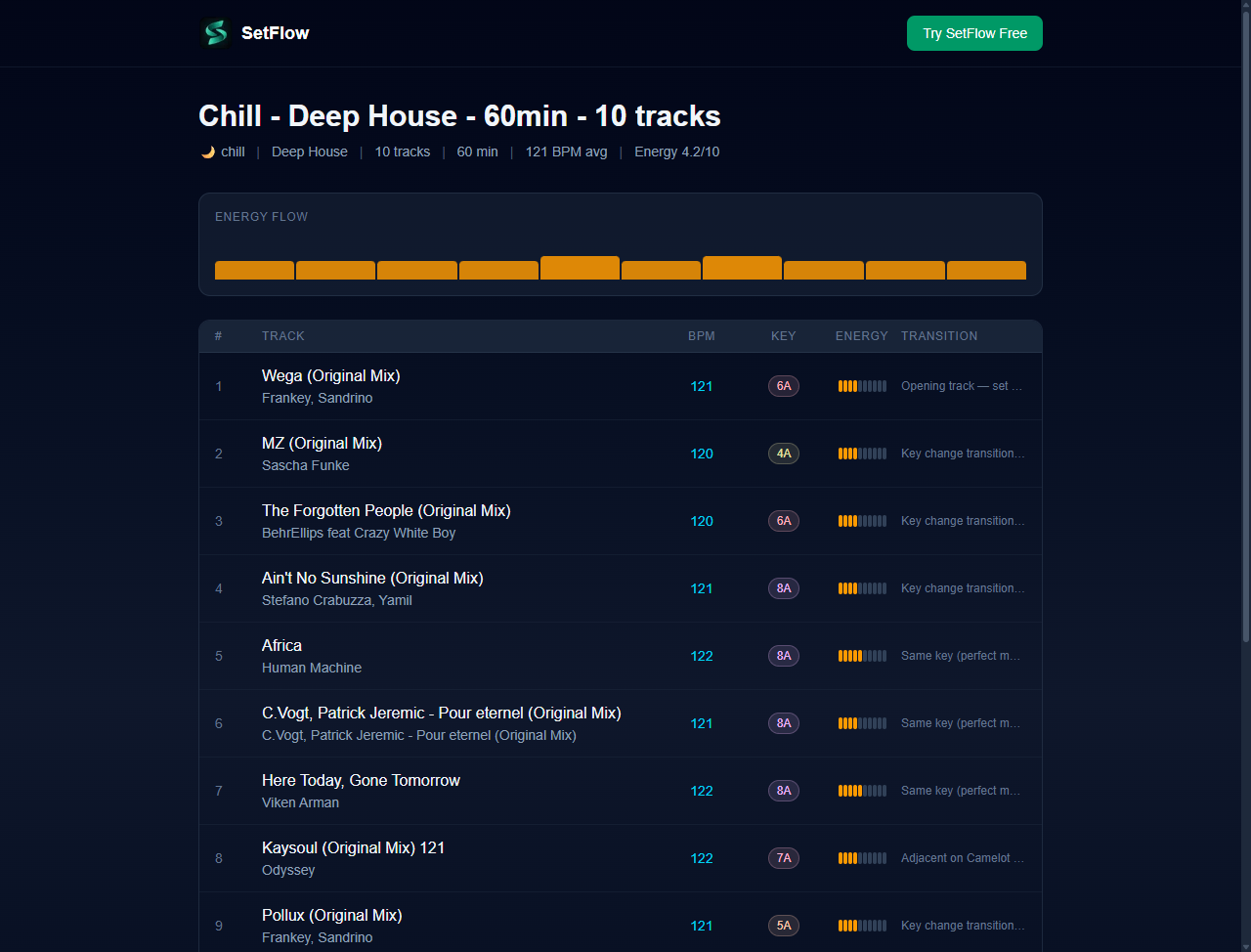
With shareable set links, your tracklist lives at a clean URL like setflow.app/s/abc123. Anyone who opens it sees exactly what you built: every track, every transition, and the energy arc of your entire set.
How It Works
Head to your Set History page and you'll see a new share button on every set card. Click it to generate a link.
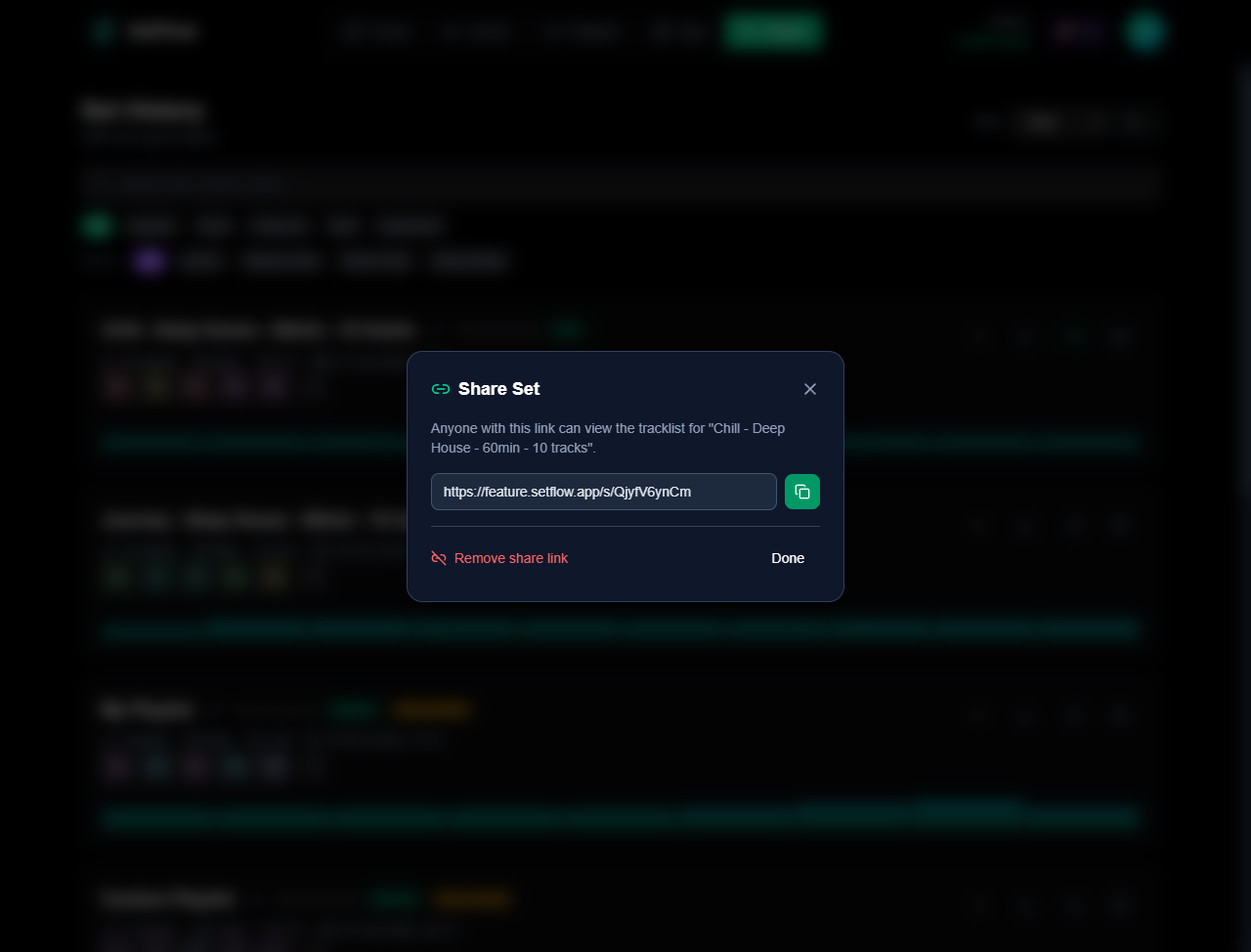
The modal gives you the link, a copy button, and the option to remove the share link at any time. Once shared, the button turns green so you can always see which sets are public at a glance.
What the Public Page Shows
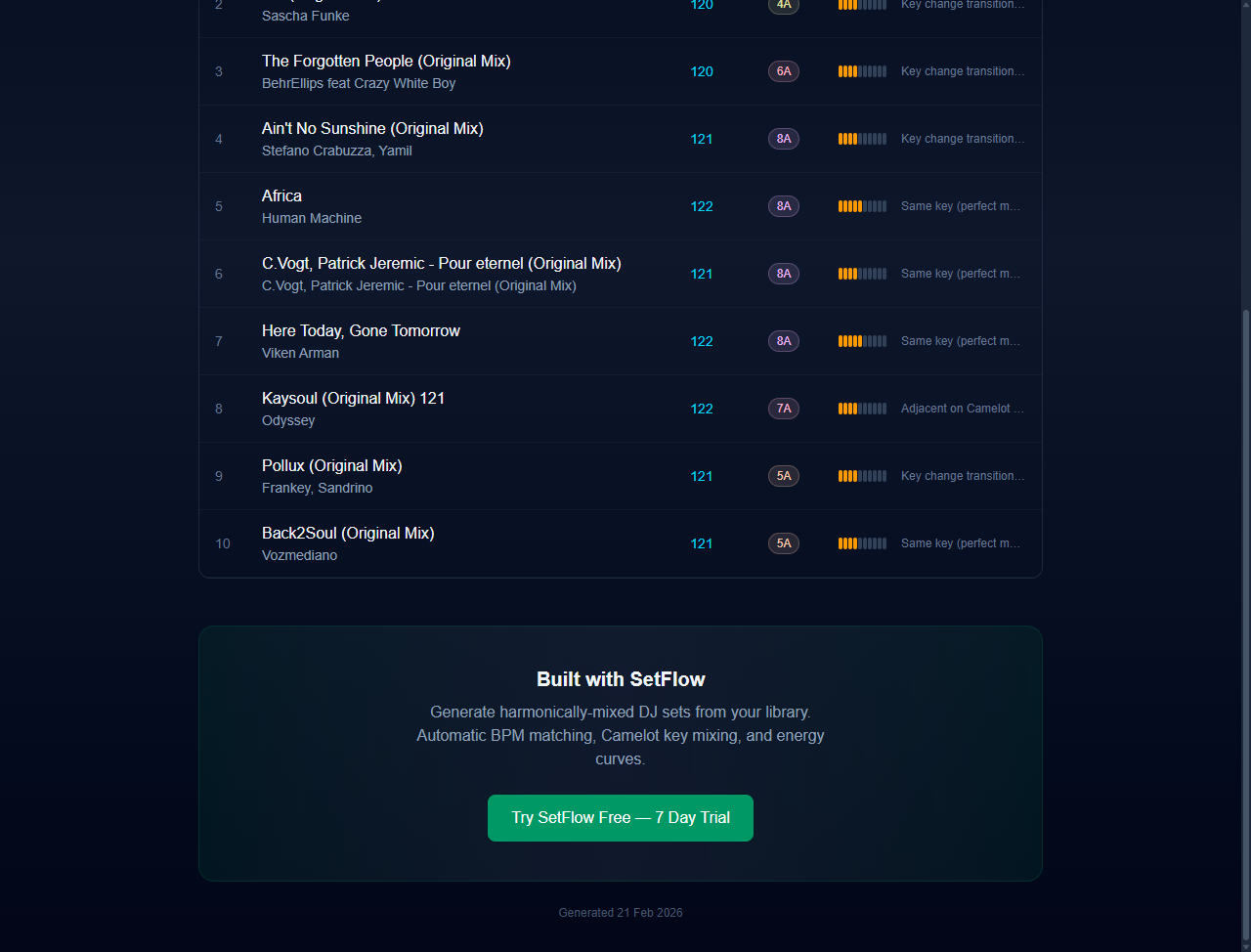
The shared set page is designed to look professional and give viewers everything they need to understand your set:
- Set metadata — genre, track count, duration, average BPM, average energy, and energy profile
- Energy flow visualisation — a bar chart showing how energy moves across your set, so viewers can see the arc at a glance
- Full tracklist — track title, artist, BPM, Camelot key (colour-coded), energy level, and transition notes
- Responsive design — looks great on desktop, tablet, and mobile — so it works whether someone opens it on a laptop or taps a link on their phone
Social Media Previews
Every shared link includes Open Graph metadata, so when you paste it into WhatsApp, Discord, Twitter, or a forum, it automatically generates a rich preview with your set name, genre, track count, and duration. No extra effort needed — just paste the link and it looks professional.
Privacy First
Only you can share or unshare your sets. The public page never reveals your account, email, or any internal data. Viewers see the tracklist and transitions — nothing else. If you change your mind, remove the share link from the modal and the page immediately returns a 404.
Use Cases
- Send to a promoter — share your proposed tracklist before a gig so they can see the genre, energy arc, and key flow
- Post on social media — show your followers what you played last weekend with a clean, branded link
- Collaborate with other DJs — share a set for feedback before a b2b, so your partner can see the transitions and plan their half
- Archive your sets — save links to your best sets as a portfolio you can reference later
Try It Now
Shareable links are available to all users — trial, Hobby, and Pro. Head to your Set History, click the share button on any set, and send the link to someone. It takes about three seconds.
New to SetFlow? Start your free trial and build your first shareable set today.
Quick Summary
- ✓One-click sharing from Set History
- ✓Public set page with tracklist, energy flow, BPM, keys, and transitions
- ✓Rich social media previews (Open Graph metadata)
- ✓Remove share links any time — instant privacy control
- ✓Available on all plans — trial, Hobby, and Pro
Ready to build better sets?
Import your Rekordbox, Traktor, or Serato library and generate perfectly mixed DJ sets in seconds.
Try SetFlow Free