The Playlist Builder, Rebuilt: One Live Workspace for Your Sets
We rebuilt the playlist builder from the ground up. Building a set by hand is now a single, live workspace — your library and your set side by side, an energy and mix-quality timeline that updates with every track, suggested next tracks scored against what you've already placed, and autosave so a stray refresh never costs you a set.
One workspace, not a stack of panels
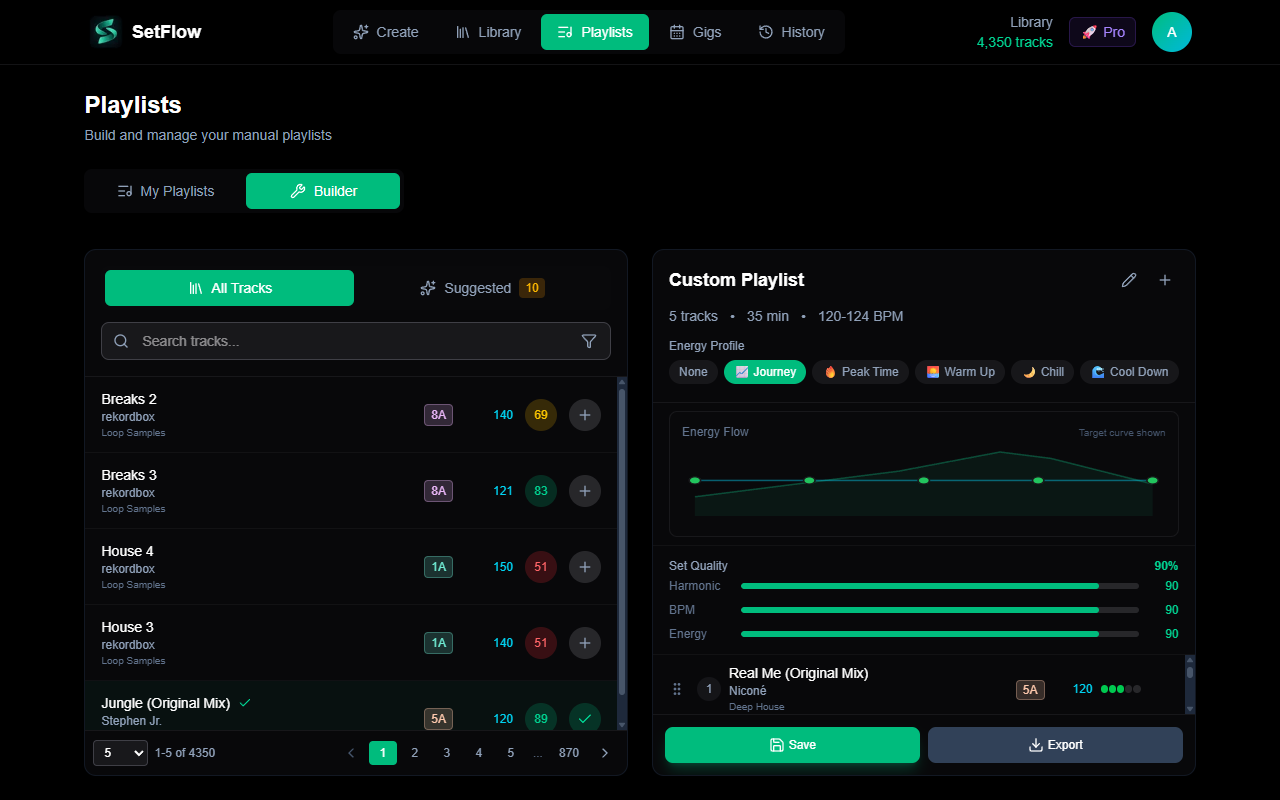
The old builder spread the work across separate cards — a track list here, an energy chart there, quality bars somewhere else. The rebuilt Builder tab puts it all in one place: your library on the left, the set you're building on the right. Pick a track and it drops straight into your set; the whole right-hand panel reacts immediately.
A live Set Timeline
The standout change is the Set Timeline. Instead of a static energy chart and a separate row of quality bars, your set now has a single strip that shows the energy of every track in order, against your chosen energy profile — Journey, Peak Time, Warm Up, Chill, or Cool Down. Underneath sit your three quality scores, live:
- Harmonic — how many of your transitions are key-compatible on the Camelot wheel.
- BPM — how tight your tempo jumps are between tracks.
- Energy — how closely the set follows the energy profile you picked.
Every add, remove, or drag-to-reorder recalculates the timeline and the scores on the spot, so you can see a set tighten up as you work — no guessing, no switching views.
Suggested next tracks, built into the picker
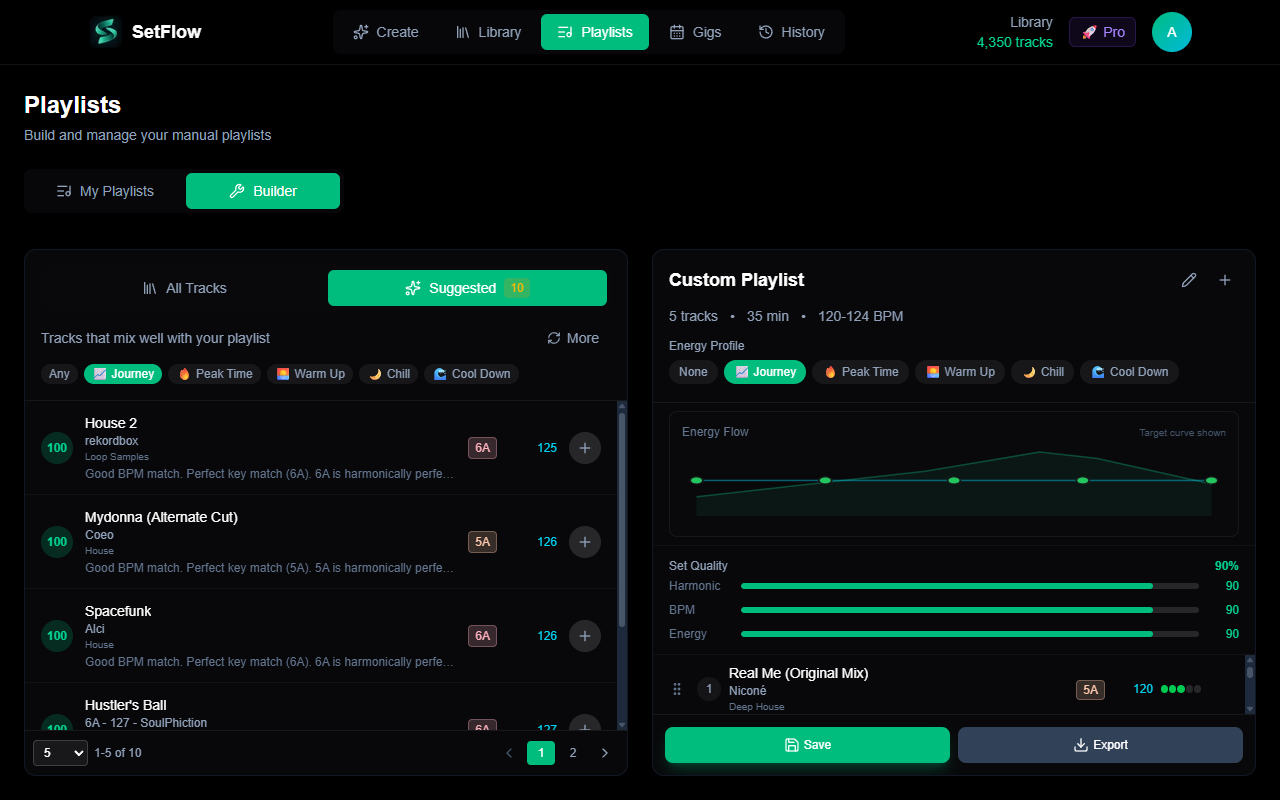
Switch the picker to the Suggested tab and SetFlow scores your library against the last track in your set, surfacing the tracks that mix in cleanest. Each suggestion carries a compatibility score and a plain-English reason — “perfect key match,” “3 BPM faster,” “builds energy” — so you can keep a set moving in the right direction without leaving the workspace.
Never lose a set
Building a good set takes focus, and nothing kills it like losing your work. The builder now autosaves your draft as you go — the name, the tracks, the energy profile, and the target duration — right in your browser. Refresh the page, get pulled away, or come back tomorrow, and your in-progress set is exactly where you left it, marked with an Editing saved badge. It only clears when you start a new set, so you can experiment freely.
Save, update, export
When a set is ready, Save it to your account, or Save as new to keep a variant alongside the original. Loading a saved playlist back into the builder picks up right where you left off — tweak it and hit Update. And when it's time to play, Export an M3U8 you can drop straight into Rekordbox, Traktor, or Serato. Your manually-built sets sit in Set History alongside generated ones, tagged so you can tell them apart at a glance.
Same engine, better cockpit
Under the hood it's the same harmonic-mixing engine that powers SetFlow's generated sets — the redesign is about giving you a faster, clearer way to drive it by hand. If you're new to building sets manually, the step-by-step playlist builder guide walks through it track by track. Open the Playlists page, switch to the Builder tab, and start placing tracks — the timeline does the rest.
Ready to build better sets?
Import your Rekordbox, Traktor, or Serato library and generate perfectly mixed DJ sets in seconds.
Try SetFlow Free